Capture, organize, and export the perfect color.
The ultimate color companion for designers, developers, and creators. Capture with your camera, extract from images, and export to your favorite design tools.
Try Kromapick right here
Click 'Generate Palette' or press the spacebar to create harmonious color palettes in real-time. Click any color to copy its HEX code or lock it in place.
Welcome back!
Real-time palette preview.
Designed to master color effortlessly
Advanced tools built to accelerate your creative workflow.
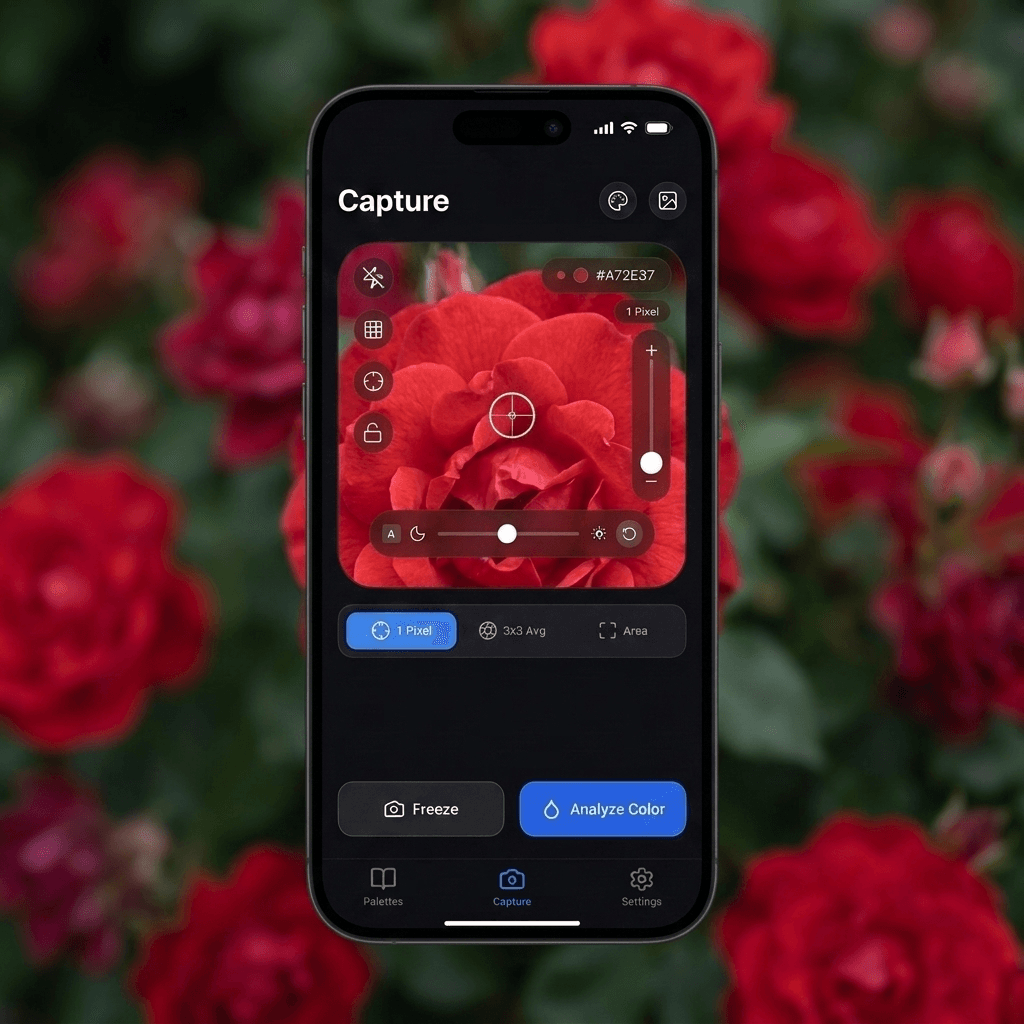
Live Camera Picker
See a fascinating color in the real world? Point your camera with dynamic target tracking and save it in real-time.
Smart Density Control
Extract anywhere from 2 to 10 exact colors per image by adjusting the precision slider.
WCAG Contrast Checker
Ensure your text and background color pairs are 100% accessible to all users.
Project Organization
Group your palettes by client, brand, or concept in organized, intuitive collections.
Mobile & Web Sync
Your palettes stay automatically synced between your phone and the web app in real-time.
Pro Color Mixer
Blend multiple colors together interactively to create custom intermediate shades perfectly suited for your design.
Instant Inspiration
Hit a creative block? Generate beautiful, random colors instantly to kickstart your next masterpiece.
Search & Manual Input
Know what you want? Type a color name like 'Navy Blue' or enter precise HEX/HSL values directly.
Design System Scale Generator (50-950)
NEW • OKLCHGenerate 11-step uniform tonal ramps (50 to 950) engineered in perceptual OKLCH color space. Anchor your base shade at 500 or let the algorithm position it naturally, verify WCAG contrast on every step, and export production code with 1 click for Tailwind v4, CSS variables, or Tokens Studio.
Universal Color Converter
14+ FormatsInstantly convert between HEX, HEX8 with alpha transparency, RGB, HSL, CMYK for print, and code formats for SwiftUI, Flutter, and Jetpack Compose.
From real world to design in 3 steps
1. Snap or Upload
Take a live photo with your camera or choose any image from your personal gallery.
2. Refine & Harmonize
Adjust color density, generate design system scales (50-950), explore harmony rules, and validate accessibility contrast.
3. Export & Integrate
Export to Adobe files, SVG, PDF, or copy CSS / Tailwind variables straight into your code.
Works with your favorite software
Kromapick exports to industry-standard formats for both design and development.
Adobe Swatch (.ASE)
Import palettes directly into Photoshop, Illustrator, and InDesign.
Adobe Color (.ACO)
Fully compatible with traditional color swatch libraries.
Figma (Tokens Studio)
Export Design Tokens JSON and variables ready for instant sync with Figma.
SVG & PDF Vectors
Ideal for brand styleguides, pitch decks, and Figma UI design.
Web Code (Tailwind v4 / CSS)
Copy modern Tailwind v4 @theme syntax, Tailwind v3 config, or CSS :root variables with 50-950 scales in 1 click.
Prefer working on desktop?
Access the Pro Web App version of Kromapick to work on large screens and export directly into your dev & design workflow.
Open Pro Web AppGot questions? We've got answers
Start creating extraordinary palettes today
Instantly transform any visual inspiration into production-ready colors.